
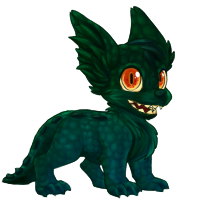
So you've found this cool pet site called Aywas! Do you know what you're doing on this site? Neither do I! Let's try to change that together.
Questions the FAQ covers, such as "how do I get more pets?", will not be looked at in this guide, unless to expand upon its answers. (I am unable to find a direct link to the FAQ anywhere on-site, only via Googling and linked to via forums. Research suggests it was previously at the bottom of every page, but appears to have been removed.)
Turns out guides are tricky to write! I have approached this guide by breaking down the most obvious and accessible thing to users: the Navigation bar. This guide will go through each tab and every sub-link within the tabs, explaining what each one leads to and what the purpose of each page is. It is my hope that this approach, combined with some common-sense extrapolation where necessary, will equip new players of Aywas with a better sense of how the site operates and an idea of where to look next if they have questions not covered in this guide.
Also, I've been playing for about three weeks as of writing this guide, so treat everything I say as hearsay and gossip.
So hey, let's get going!
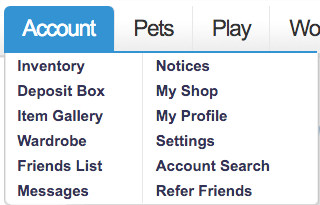
You will be able to find most of the things discussed here under the Account tab in the navigation menu.
But before that, let's talk about money!


Aywas runs on three basic varieties of currency, visible on the left-hand sidebar and beneath your message count. They are:
Blue Paws (BP)  |
Gold Paws (GP)  |
Silver Paws (SP)  |
|---|---|---|
| Gained via games and adventuring. This is the most plentiful and probably the most used currency. You will commonly use BP to buy items and pets from user and NPC shops, and you'll acquire a lot of it quickly! | Purchased with real-life money like USD. Primarily used for purchasing custom pets and breeding services and other rare things. Like BP, you can trade this with other users for goods and services. Most GP-purchasable items are available in the GP Shop. | Aquired by winning site contests such as the Gallery or Scavenger Hunts, getting High Scores in the Games List games, or submitting site content. SP can purchase account upgrades, special breeding services, HA items, etc. The SP Shop carries most of these. SP cannot be transferred to other users. |
All of the currency-specific shops can be found under Shop > Shop Listing.
If you're hard up for that sweet sweet BP, Adventures are your friend—we'll get to those—or you can play Grave Robber.
I won't be explaining game strategies in this guide, but play a few
times without score sending to get a feel for how it works, and then
send good scores for quick and easy money.

Your inventory (Account
> Inventory) is where all your items go. Pretty straightforward. You
can also buy additional inventory slots on this page for 10
a slot. They are very cheap and your inventory will fill up very
quickly as you play, so it's a good idea to buy a large amount of slots
when you can afford it.
Within Inventory, you can access your Deposit Box, see the Regeneration Status of any regenerating items you have, view items you've sent or received with Transfer History, Quick Stock items to various site locations such as your deposit box or shop, or view any Private Items you may have. You can also look at your Queue, which appears to list any Private Items you may have under review.
Briefly:
The remainder of the things under the Account tab are pretty straightforward, and the details of things like editing your own profile is outside of the scope of this guide.
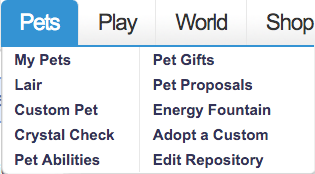
You will be able to find most of the things discussed here under the Pets tab in the navigation menu.
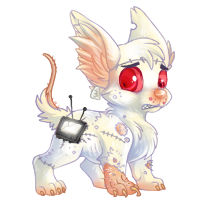
Before proceeding, let's define a few terms.
on the pet's Edit page.Other anatomical aspects of interest include Type, Skills, and Energy; these will be touched on in the Adventure section.
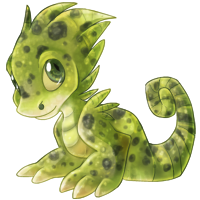
Your best bet for your very first pet is the Adoption Center (Play > Adoption Center). Thousands of pets are available, and you can adopt one for free once an hour. If none of them catch your fancy, refresh the page for a new set. There does not appear to be ANY way to search for an abandoned pet or adopt it from anywhere unless it has come up on the Adoption Center page, so if you want to look at a pet more closely, make sure to open its Profile page in another tab so you don't lose it.
Once you have found a new buddy, you can visit it by clicking on its picture in your Lair. Its Profile page will appear and you can make it your Active Pet, so it will accompany you around the site and on the forums.
Once you have a pet, you can start going on Adventures, where you'll get even more pets! We'll cover Adventures later. If you're the impatient type who knows what they like, though, you can also search for pets under Shop Search and just buy some.


You can also hatch new pets at the Phoenix Tree (World > Phoenix Tree) using Random Eggs and Truly Random Eggs. You can find either while Adventuring, or you can purchase a Nest, which is a regenerating item that will give you a Random Egg or Truly Random Egg (rarely) on every use. Both eggs have the potential to hatch into any "site color," or non-custom pet, but the Random Egg is weighted toward more common pets while the Truly Random Egg has an equal chance of giving you any pet.
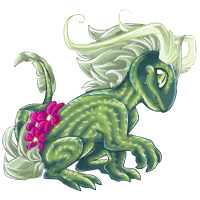
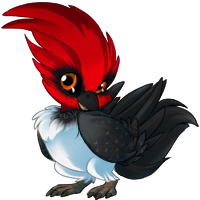
This is what we're here for, man!
If you are used to other pet sites, you'll learn quickly that Aywas handles pets slightly differently than most. Instead of a single page containing all of your pets, on Aywas you get two: My Pets and Lair, and they serve different functions.
My Pets will be familiar if you have played other pet sites. It's a customizable page you can use to give yourself quick access to specific pets, such as personal favorites. You can add a pet by selecting it from the dropdown list at the top, selecting a pet, and then click "Set Display Active." The page will refresh, and you'll now see the newly added pet on the page. To remove a pet, you can either select it from the dropdown and click "Set Display Inactive," or simply click on "Remove (petname) from Quickview" next to the pet. This is different from making a pet your "active pet"!
The Lair, conversely, will display all of your pets. You will acquire a lot of pets. Aywas is more "catch them all" than most pet sites, so this page is very useful for seeing at a glance the entirety of your collection. To the right you will see a list of every genus of pet you have collected; click one to show only pets of that genus.
Using Manage My Lair at the top of your Lair page, you can change your Lair's name and give it a description. You can also create "groups" that you can add your pets to, which will appear on the left-hand side of the Lair page and function similarly to the Genus list.
So you have some pets! Some of them are great and you love them. Others, not so much. Or maybe you've gotten a good Adventuring pet, but don't like how it looks. Good news: invasive and painful genus transformation is just a button press away!

There are a number of items that can change your pet's genus and
species. Some, like the Hippie Mushroom (above), will turn your active
pet into a random genus and species. Others, like the Tiny Glittering Rock,
will let you pick which genus and species you want your active pet to
become. If you aren't sure what a species on the list looks like, you
can look it up on the Aywapedia, or if you know what you want, you can search for pets to buy for BP in the user shops (Shop > Shop Search).
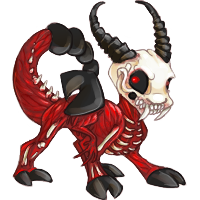
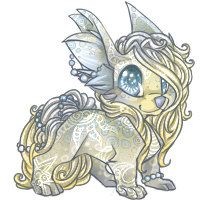
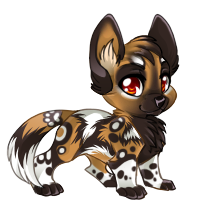
Whoa, hoss! Customs, Breeding, Silver pets, et al. will be examined in a separate guide, as they are beyond the scope of this one. Briefly, Aywas allows you to create pets you or another artist has edited, colored, or even entirely redrawn. The possibilities are endless, but it is a very complicated part of the site with many caveats and special rules.
There are a few other options under the Pets tab that haven't been touched on.
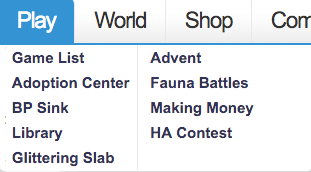
Let's get our interactive on! Much of the Play tab is very straightforward.
or items. from inflating and becoming worthless. Donate a certain amount of BP to earn an item (Sparkling Crystal)
that will allow you to make a Silver Custom Crystal custom pet from one
of the pet bases listed on the BP Sink page. The more total BP donated sitewide, the more pet bases that will be unlocked and made available to everyone.Actually that's pretty much it. On to the next tab.
Welcome to Aywas! Again.

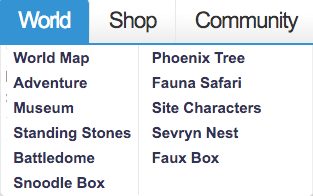
The "world" of Aywas is composed of two floating islands, called Ay and Ara. Both regions have pet genera exclusive to them. Sometimes you will see items that say you can only use them with Ay or Ara region pets. You can find a list of which pets are native to which region under the Genus Guide (Help > Genus Guide). You can visit the pages for these individual regions (World > World Map), but there's honestly not much to do. Each page features an image map of the island, with links that almost without exception lead to Adventure locales. The notable exceptions are the Phoenix Tree, mentioned under 2.B above, and Ay Town. Ay Town consists of another image map, but as of this writing only five of the thirteen structures lead anywhere, and all of them can be more easily accessed through the navigation bar.
You will pretty much never visit the world map.
Here we are! ADVENTURE. Adventure is probably the most interactive
part of the site, barring Custom Pets. It is the primary way of aquiring
BP and new pets. To play, you only need one thing: a pet!
From here on out, I will be heavily referencing Syl's Complete Guide to Adventure, by Syleni (#1883). Syl's Complete Guide is very thorough and explains Adventures in detail, and I would recommend reading through it for advice, strategy and understanding. Please be aware that it was written in 2012 and does not appear to have been updated since, and some things may not be accurate anymore. I will highlight these differences as best I can.
With that said: onward!


When you first visit Adventure, you may see a screen like this:

This is very normal if you are using an older pet. Before Adventure was added to the site, a similar system called Explore existed. Explore, and the pet stats associated with it, are now defunct. Resetting the stats is necessary to use your pet in the new Adventure system, so you can click "Yes" without fear. Upon doing so, you should see a screen similar to this one:
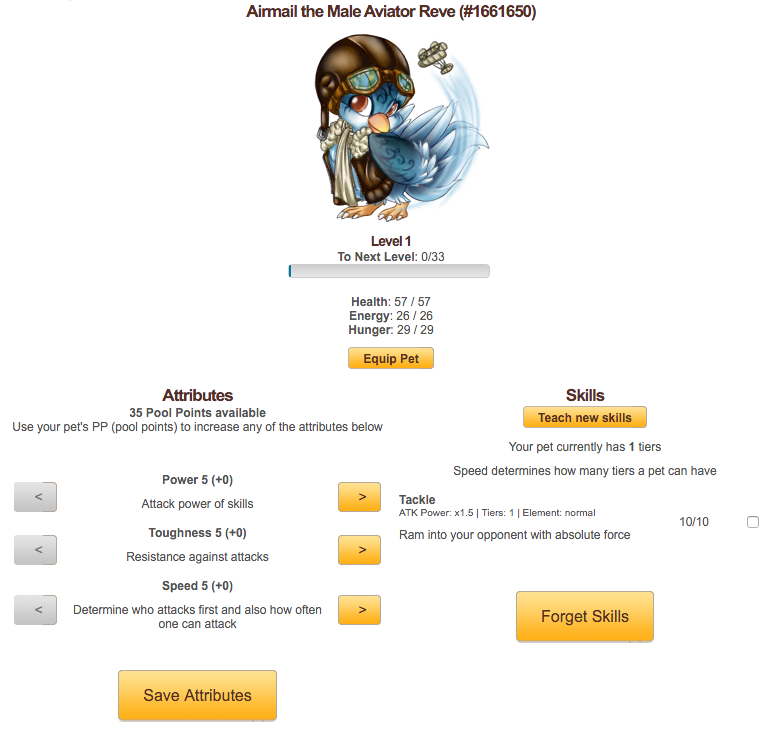
This is the Pet Status page where you will distribute your pet's stats and manage their skills. You can also reach this screen from the Battledome (World > Battledome > Pet Status or World > Adventure > Manage Pet Status). From the top down:
It's likely your first pet will not be a very strong Adventuring pet, and will lose many battles in the beginning. You can continue to train your pet if you would like, or you can check the Newbie Giveaways section of the forum (Community > Forums > "Community" section), where more established users often give out high-level Adventure pets. A pet of sufficiently high Energy will never run out of it, and can effectively keep adventuring forever, so for new players I would suggest pursuing this avenue in the beginning.
Once you have a pet you'd like to adventure with, you're halfway there! There are two other aspects of Adventure to look at: Equipment and Licenses.
Equipment is what it says on the tin: items you equip to your pet to help it adventure better. Equipment items can be grouped in three ways:
Again, Syl's guide explains individual pieces of equipment very well. I have summarized the ones of most interest to new players in the below table.
 Net |
 Monster Detector |
|---|---|
| Passive equipment. An incredibly useful item that will let you catch a pet without fighting it. This item is used by clicking the "Items" button within the Adventure interface when you have encountered a pet you want to catch. Nets break over time and may not always succeed in catching a pet on the first try. Purchasable from the Explore Shop or from user shops. | Passive equipment. This item will allow you to summon and fight any monster from your current Adventure area, including "Legendary Rare" (LR) monsters. LR monsters have a chance to drop better loot, as well as need to be captured to complete Monster Collections. Purchasable from the Explore Shop or from user shops, or found as drops in the Fields or Mountains locations. |
 Money Lighter |
 Clover Stone |
|---|---|
| Adventure equipment. This item will ward
off all merchants in Adventure, so they will no longer ask you to buy
their items. Useful when you're hunting pets or monsters, or just trying
to get BP. Purchasable from the Explore Shop or from user shops. |
Adventure eqipment. This lucky little stone will prevent you from encountering pets lower than r70, meaning you will only see Super Rare, Ultra Rare, and Hidden Rare pets. Purchasable from Draconic Creations or from user shops. |
Once you have your kit, you can put the Battle and Adventure items to use by equipping them to your active pet. You can find the button to equip your pet in the sidebar beneath the pet's image, under the Pet Status section of the Battledome (World > Battledome), through your My Pets page, or through the pet's individual profile page. Equipment is tied to a single pet, and will not transfer from one pet to another if you switch your active pet!

Equipment set? Great! You need one more thing: a pet-catching license!
Licenses come in four flavors of ascending quality (Starter, Blue, Gold, and Silver)
and you must own at least one before trying to capture any pet. The
different licenses dictate how many catches you can make in a day of
different rarities. You can purchase one under the Licenses section
of the Battledome (World > Battledome). Start with Starter or Blue,
but the Silver one is well worth your money when you can afford it. 100K may seem steep, but you'll gather a lot of money very quickly while adventuring.
Yes! Hooray! To start your adventure, go to World > Adventure!
Visiting this page for the first time, you will likely see a screen with a number of grayed-out boxes. Gray locations are ones you have not yet unlocked, so let's begin with the first one listed: Bridge.
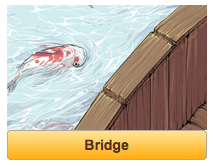
(You should also be able to access the Enchanted Forest and Arctic locations! Locations further down the list have stronger pets and monsters, but drop more money.)
Clicking on the yellow button will lead you to a short status page that tells you the weather forecast (which appears to be permanently fixed at "clear skies" for all locations) as well as your current location level, which will be explained below. Click on "Go Exploring" and you will be met by a screen similar to the below.
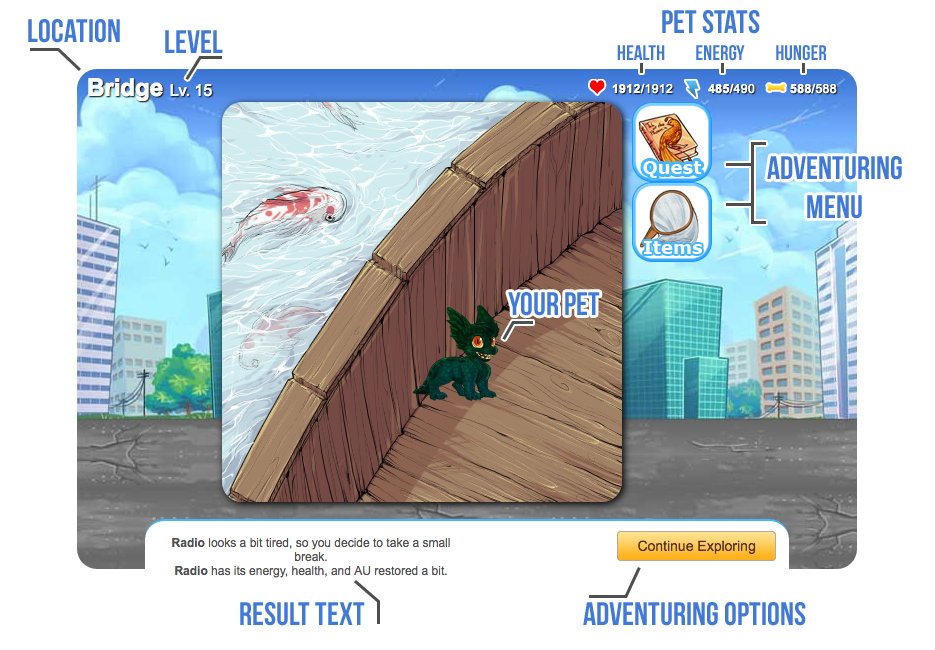
Note: This screenshot makes use of my Elegant Adventuring script, which moves the buttons and text on the bottom around to make adventuring easier.
Let's break this down:
Adventuring Menu
Your Pet: It's your pet!
Result Text: The results of exploring. This can be a random event that gives you BP or an item, an encounter with a pet or monster, a visit from a merchant, etc.
Adventuring Options: Choices the current result text gives you.
And that's the bulk of adventures. Click around for a while and you'll very quickly get the hang of it. If you have more specific questions, try Syl's guide, or the Aywas wiki entry on Adventures.

The rest of World is relatively straightforward, so we'll breeze through it quickly.
The Faux Box and the Snoodle Box are features of the site that involve custom pets, and will not be looked at in this guide.
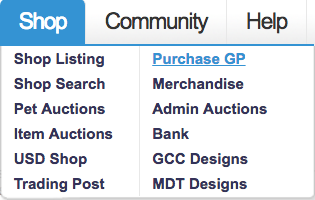
Time for something a little easier to explain!
.
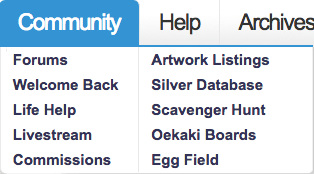
Community is a big part of Aywas! I'm actually terrible at social things because I am a cranky misanthrope, but you probably aren't. I will muddle through best I can for your sake, because I love you.

The lifeblood of the site, the Forums are where you go to talk to everybody else! Presumably you have been on the internet long enough to understand how these work. Specific questions about forum conduct can probably be answered with the FAQ, but basically, use common sense and don't be a douchebag. Be aware that the character limit on posts is extremely small! If you are making a large thread of any caliber, it will almost certainly span multiple posts.
You'll conduct most of your business, whatever that may be, on the forums.
Are you digging these bulleted lists? I know I am.
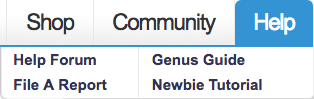
Another easy tab! Let's dive right in.
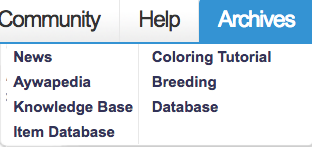
CHOO CHOO LAST STOP ON THE NAVBAR TRAIN
The two heavy hitters on this page are the Aywapedia and the Knowledge Base!
 |
 |
|---|---|
| The Aywapedia is a handy tool that will let you see any site-released (non-custom) pet that has ever existed! You can sort by genus, Adventure capture location, or rarity, and even filter out ones you have not captured or arrange them by newest release. Great for people who want to Catch 'Em All. | Your one-stop-shop for Literally Everything Else you could possibly want to know about Aywas. Don't be like me and spend a frustrated week googling for answers to things, because most of what you want to know can be found in the Knowledge Base, but as nothing on the site can be viewed without an account, Google is not very reliable. Probably anything you want to know that this guide doesn't cover can be found in here. |
Weird quirk: Items with a gray background in the Knowledge Base lists are apparently staff-only and cannot be accessed by users. The more you know!
The next two items, Item Database and Breeding Database, are encyclopedias of regular site items and items related to breeding, respectively.
The other two links go straight to the News, and to a very basic Photoshop-based coloring tutorial for PSDs.
GREAT QUESTION I DON'T KNOW. If you have more questions, try digging around in the forums or the knowledge base!
Eventually there will probably be a link to the Custom guide I would like to do, but it took me two weeks to write this and customs are a lot more intimidating, so Who Knows if that's ever gonna happen!
If you see something wrong with the guide, please contact me at #3316 on Aywas so I can correct it! If you just have regular questions you should probably hit up the knowledge base or the help forum, though, I am not prepared to commit to being full-time newbie help.
I hope you had a informative and/or entertaining time, and have fun playing Aywas!
I'd like to thank the following users for giving me suggestions or additional explanations for things on this guide!: